
AutoDraw

I am a terrible drawer. I have no skill and my students get a kick out of my attempts. That's when our school's librarian came to the rescue.

AutoDraw is a website that you do your best on the screen and it predicts what you're attempting to draw.

For example, I attempted to draw a beautiful dog. At the top of the screen, you can see its automated guesses.
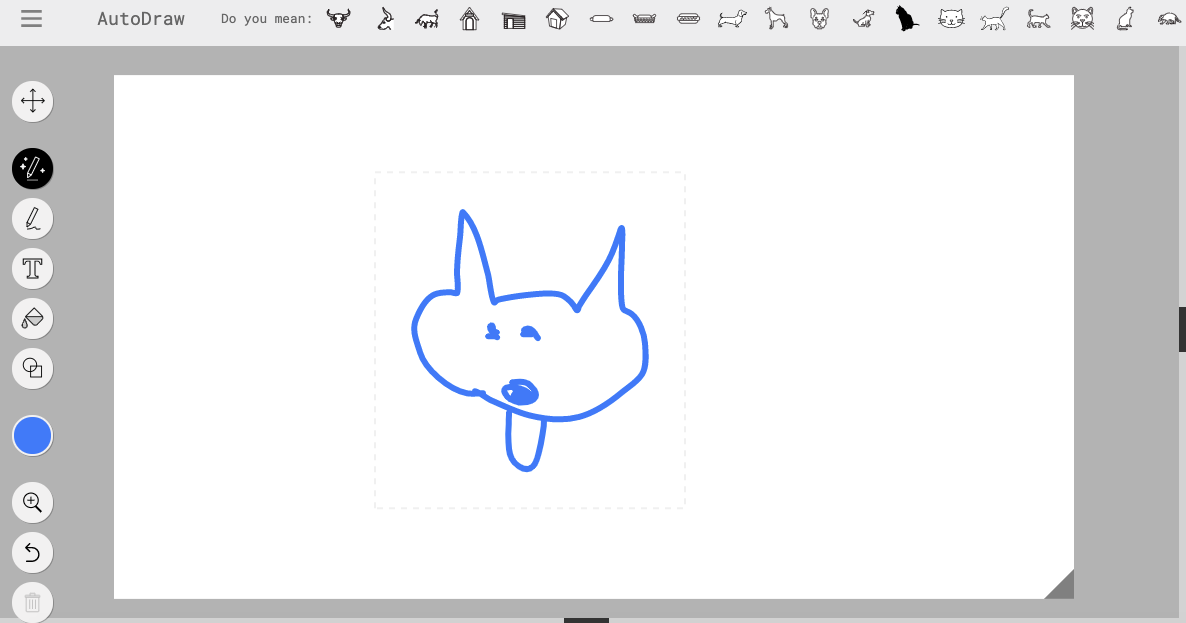

When you click on the guess, it updates your image.

You can change the color, add text, and add more than one drawing to the screen. Even better still, you can download your drawings as a PNG file.


Comments

Popular posts from this blog

Gift Card Giveaway

Information will be sent out to my TPT store followers on May 8th on how to win the $10 gift card.

Teaching Channel

Another great free resource is the Teaching Channel . I used it when I was looking for ideas on teaching middle schoolers integers. On the website, I found a video and lesson plan for a scenario a teacher set up for her students to make it more tangible. They email weekly with videos on various topics, like common core.

Freebie: Interactive 3D Models

DewWool is a newer store with many free online resources! I found the " Root Structure " diagram and thought it was too good not to share.  This is for you if you need resources for students to label structures. (It also includes math and elementary education resources.) The resources appear to be simple and easy to use. One downfall, because it's free, is there are advertisements. I know this was a concern with the last school I worked at students: viewing unapproved materials via popup ads. Photo by  おにぎり  on  Unsplash